Graphing calculators are indispensable for today’s students, powering success in math and science courses from Algebra to AP Calculus and standardized tests like the SAT®, ACT®, and IB® exams. Yet, due to budget constraints at home, these tools can be out of reach for many families, and tight school budgets may not cover supplying one for every student. A school calculator rental program is a practical, impactful solution, ensuring equitable access to calculators for homework, exams, and beyond.
In this comprehensive guide, we’ll walk you through the steps to create a successful calculator rental program, optimized for affordability, efficiency, and student success.
Step 1: Select the Right Calculators for Your School
The first step is choosing calculators that align with your school’s curriculum, budget, and testing requirements. Here’s a breakdown of the most popular options:
- TI-84 Plus (~$110.00): A reliable, budget-friendly workhorse, perfect for high school math and science courses like Pre-algebra, Algebra 1 & 2, Trigonometry, Calculus, and AP Statistics. Its MathPrint™ feature displays equations as they appear in textbooks, and it’s approved for PSAT®, SAT®, ACT®, and AP® exams.
- TI-84 Plus CE (~$130.00): An upgraded version with a vibrant color display, Python programming capabilities, and a sleeker design. It’s ideal for Computer Science, AP Precalculus, and visual learners who benefit from colorful graphing.
- TI-Nspire CX II (~$140.00): A powerful choice for advanced courses like Mechanical Engineering, Differential Equations, and college-level math. It offers animated plots and Python support, making it versatile for STEM programs.
- TI-Nspire CX II CAS (~$150.00): The most advanced option, featuring a Computer Algebra System (CAS) for complex calculations in Physics, Electrical Engineering, and AP Calculus. Note: CAS must be disabled for IB® exams.
Choosing Wisely: Consult with math and science teachers to match calculators to course needs. Verify exam approvals (e.g., College Board, IB®) to ensure compliance. For budget-conscious programs, the TI-84 Plus offers great value, while the TI-Nspire models cater to advanced learners.
Step 2: Assemble Rental Kits
Each rental kit should equip students with everything they need to use the calculator effectively. A complete kit includes:
- Calculator: The model you’ve selected.
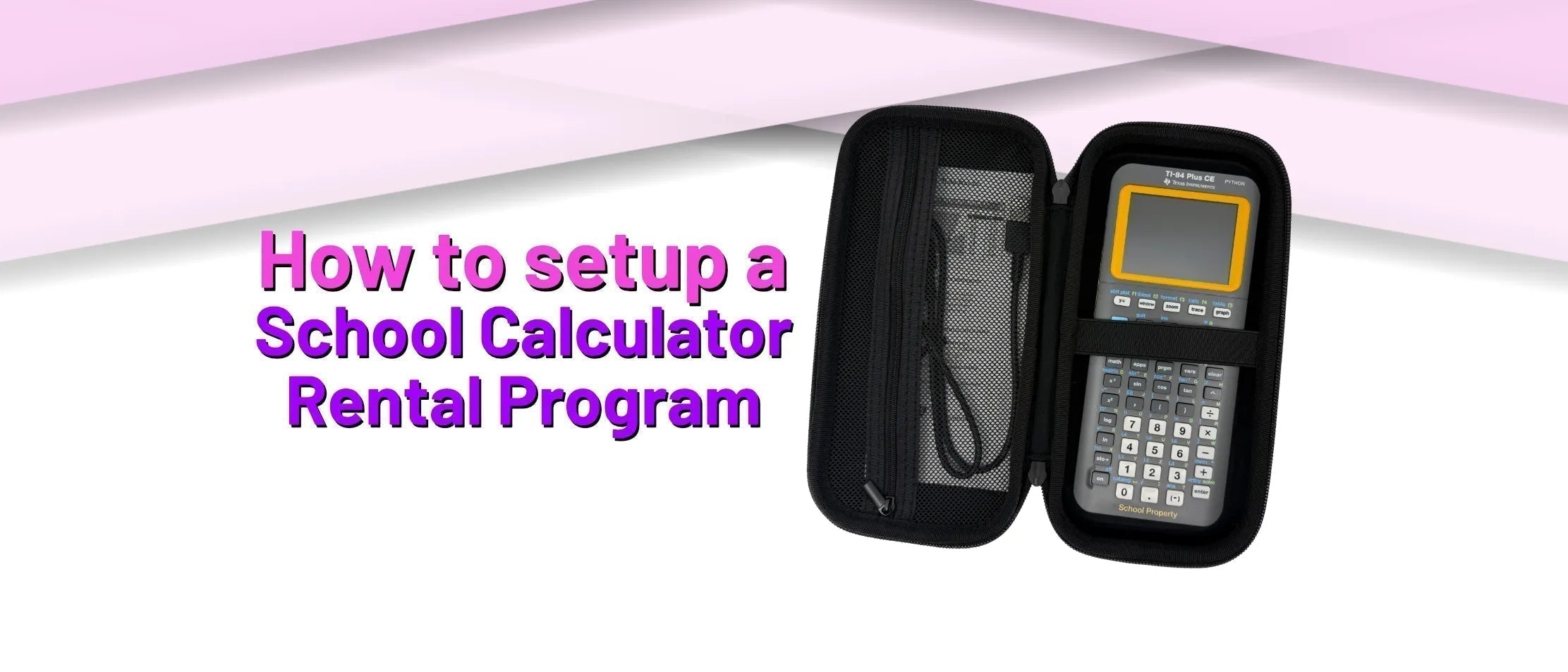
- Hard-Shell Storage Case (~$8.00): A protective case (like the CalcPop with mesh pockets and elastic bands) keeps components secure and organized.
- User Manual (~$2.00): Essential for navigating the calculator’s many functions, especially for students new to models like the TI-Nspire CX II or TI-Nspire CX II CAS. It reduces frustration and boosts confidence.
- Cables (~$2.50–$5.00): Include charging cables for rechargeable models (TI-84 Plus CE, TI-Nspire CX II, Ti-Nspire CX II CAS) and data transfer cables for software updates or data transfer.
- Batteries: For non-rechargeable calculators, like the Ti-84 Plus, a new or known working set of AAA batteries. (~$1.00 for a set)
- Slide Cover (~$3.00–$5.00): Protects the calculator’s screen and buttons from wear and tear.
Maintenance Tip: Stock replacement parts (available from suppliers like Underwood Distributing) to quickly fix issues like lost cables or dead batteries. This keeps kits functional and minimizes downtime for students.
Step 3: Determine Flexible Rental Periods
Rental periods should reflect your program’s goals and student needs:
- Semester or Full Year: Aligns with the duration of math or science courses, ensuring students have consistent access for homework and in-class work.
- Short-Term (2–3 Days): Ideal for students needing calculators for off-campus standardized tests like the SAT®, ACT®, or AP® exams, where schools may not provide devices.
Offering both options maximizes accessibility. For example, a student might rent a TI-84 Plus CE for a semester of AP Statistics and later borrow it for a weekend SAT® test.
Step 4: Create a Clear and Fair Rental Agreement
A well-crafted rental agreement clarifies expectations, protects your investment, and ensures accountability. Key elements include:
- Purpose: State that the program supports low-income students, promoting equity in math and science education.
- Terms of Use:
- Store the calculator in its protective case when not in use to prevent damage.
- Keep it away from liquids and handle it with care to avoid cracks or malfunctions.
- Use data transfer cables only for course-related updates or assignments, not unauthorized apps or games.
- Report any issues (e.g., battery failure, screen glitches) to the program coordinator immediately; students must not attempt repairs.
- Return all kit components (calculator, case, cables, manual) at the end of the rental period.
- Replacement Costs: Clearly list fees for lost or damaged items, e.g., $2.00 for a manual, $7.00 for a rechargeable battery, or $110.00–$150.00 for a calculator.
- Rental Period: Specify start and end dates, including any late penalties (e.g., $5/day) or grace periods.
- Contact Information: Collect student details (name, email, phone, course, teacher) and parent details (name, email, phone) for communication.
Legal Note: Have your school’s administration or legal team review the agreement to ensure compliance with district policies and state regulations.
Step 5: Implement an Efficient Tracking System
To manage dozens or hundreds of rentals, you need a reliable tracking system. Here’s how to set it up:
- Serialize Each Kit: Assign a unique identifier (e.g., CALC001, CALC002) to every calculator and its case. Use permanent markers or adhesive labels, and for extra security, place a label inside the calculator’s battery cover to prevent removal or smudging.
- Use a Spreadsheet: Create a digital tracker (e.g., in Google Sheets) with columns for:
- Issue and return dates.
- Serial number.
- Student and parent contact info.
- Defects noted at issue (e.g., scratches from prior use).
- Repairs or issues reported during the rental.
- Return inspection notes (e.g., missing cable).
- Costs owed and payment dates.
- Regular Updates: Log returns and issues promptly to stay organized, especially during busy periods like semester-end.
This system helps you quickly identify overdue rentals, contact students or parents, and calculate any replacement costs.
Step 6: Streamline Returns and Repairs
When rentals are returned, a structured process ensures accountability and keeps your inventory in top shape:
- Inspect Within 7 Days: Check each kit for damage (e.g., cracked screens) or missing parts (e.g., cables, slide covers). Document findings in your spreadsheet.
- Notify Promptly: Inform students and parents of any fees via email or phone, referencing the rental agreement. Require payment within 30 days to maintain program funds.
- Handle Repairs: For repairable calculators, contact suppliers like Underwood Distributing for quotes (typically $30–$60). Non-repairable units may need full replacement.
Pro Tip: Set up a small repair fund in your budget to cover unexpected costs, ensuring the program remains sustainable.
Calculator Specs and Costs at a Glance
Here’s a quick reference for the four calculators, their features, and sample replacement costs:
Ti-84 Plus
The TI-84 Plus Graphing Calculator will be the most economical graphing calculator of our selection. This calculator has stood the test of time among math educators and students. This calculator is available in a black color with the Retail Edition and a yellow color with the “School Property” Edition.
Recommended Accessories to Include
- 1x User Manual – $1.95
- 4x AAA Batteries – $1.00
- 1x USB to Mini USB Data Transfer Cable – $2.99
- 1x Yellow Slide Cover – $3.95
- 1x Clear Battery Cover – $1.99
- 1x Carrying/Storage Case – $7.99
- 1x Bumpers or “Rubber Feet” – $2.49
- 1x Ti-84 Plus “School Property” Graphing Calculator – $112.95
Repair Costs
If the calculator is determined to be repairable, the Ti-84 Plus Graphing Calculator carries a $30 repair cost from Underwood Distributing. Please reach out to us to determine if the calculator is repairable. View more details about this service here: Calculator Repair.
Ti-84 Plus CE
The TI-84 Plus CE Graphing Calculator is the most popular graphing calculator of our selection. This calculator provides all the features of its older cousin, the Ti-84 Plus, with added Python capabilities and a colorful backlit screen. This calculator is available in a black color with the Retail Edition and a yellow color with the “School Property” Edition.
Recommended Accessories to Include
- 1x User Manual – $1.95
- 1x Rechargeable Battery – $6.95
- 1x Charging Cable – $2.59
- 1x Charging A/C Adapter – $3.29
- 1x Yellow Slide Cover – $3.95
- 1x Yellow Battery Cover – $12.99
- 1x Carrying/Storage Case – $7.99
- 1x Bumpers or “Rubber Feet” – $3.49
- 1x Unit-to-Unit Transfer Cable – $2.39
- 1x Charger (Set) – $4.95 or
- 1x Ti-84 Plus CE “School Property” Graphing Calculator – $136.99
Repair Costs
If the calculator is determined to be repairable, the Ti-84 Plus CE Graphing Calculator carries a $45 repair cost from Underwood Distributing (if repairable). Please reach out to us to determine if the calculator is repairable. View more details about this service here: Calculator Repair.
Ti-Nspire CX II
The TI-Nspire CX II Graphing Calculator is a more advanced graphing calculator that works great for higher education levels. This calculator is available in a white/black color with the Retail Edition and a white/yellow color with the “School Property” Edition.
Recommended Accessories to Include
- 1x User Manual – $1.95
- 1x Rechargeable Battery – $6.95
- 1x Charging Cable – $2.59
- 1x Charging A/C Adapter – $3.29
- 1x Unit-to-Unit Transfer Cable – $2.39
- 1x Yellow Slide Cover – $3.76
- 1x Black Battery Cover – $12.99
- 1x Carrying/Storage Case – $7.99
- 1x Bumpers or “Rubber Feet” – $3.99
- 1x Ti-Nspire CX II “School Property” Graphing Calculator – $139.95
Repair Costs
If the calculator is determined to be repairable, the Ti-Nspire CX II Graphing Calculator carries a repair cost between $30 to $60 from Underwood Distributing. Please reach out to us to determine if the calculator is repairable. View more details about this service here: Calculator Repair.
Ti-Nspire CX II CAS
The TI-Nspire CX II CAS Graphing Calculator is the most advanced graphing calculator that works great for higher education levels with its Computer Algebra System capabilities. This calculator is available only in a blue/white color with Retail Packaging.
Recommended Accessories to Include
- 1x User Manual – $1.95
- 1x Rechargeable Battery – $6.95
- 1x Charging Cable – $2.59
- 1x Charging A/C Adapter – $3.29
- 1x Unit-to-Unit Transfer Cable – $2.39
- 1x Black Slide Cover – $4.95
- 1x Blue Battery Cover – $12.99
- 1x Carrying/Storage Case – $7.99
- 1x Bumpers or “Rubber Feet” – $3.99
- 1x Ti-Nspire CX II CAS Graphing Calculator – $143.95
Repair Costs
If the calculator is determined to be repairable, the Ti-Nspire CX II CAS Graphing Calculator carries a repair cost between $30 to $60 from Underwood Distributing (if repairable). Please reach out to us to determine if the calculator is repairable. View more details about this service here: Calculator Repair.
Bonus Tips for a Standout Program
- Budget Smart: Factor in initial calculator purchases, replacement parts, and a small reserve for repairs. Seek grants or PTA support to offset costs.
- Support Students: Offer brief tutorials or online resources to help students master calculator functions, especially for complex models like the TI-Nspire CX II.
- Build Supplier Relationships: Partner with trusted vendors like Underwood Distributing for bulk discounts, replacement parts, and repair services.
- Promote the Program: Share the program’s benefits with parents, teachers, and students via newsletters or school assemblies to boost participation and community support.
Launch Your Program and Empower Students
A calculator rental program is more than a logistical solution—it’s a commitment to educational equity, ensuring every student has the tools to succeed in math, science, and high-stakes exams. By carefully selecting calculators, assembling complete kits, setting clear agreements, and tracking rentals, you’ll create a program that’s efficient, sustainable, and transformative. Start planning today to make a lasting impact on your school community!